 ClicPDF
No. 01 — MERGE
Two PDFs, one file, nothing to open.
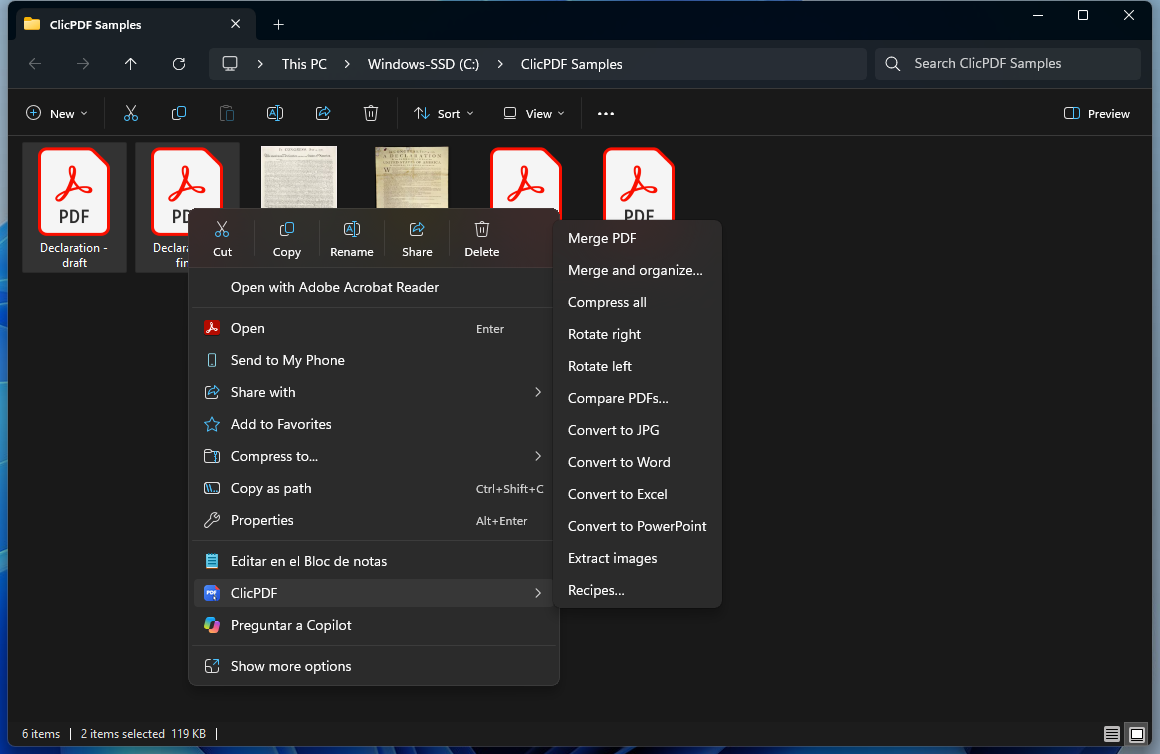
Select the files, pick “Merge PDFs” and a moment later the full document is in the same folder.
- Keeps the order you choose
- “Merge and organize…” lets you decide page by page
Made by someone who works in office admin and got tired of uploading documents to websites just to merge or shrink them. Now it's a right-click away, on your own computer.
Everything right on the page, with your mouse.
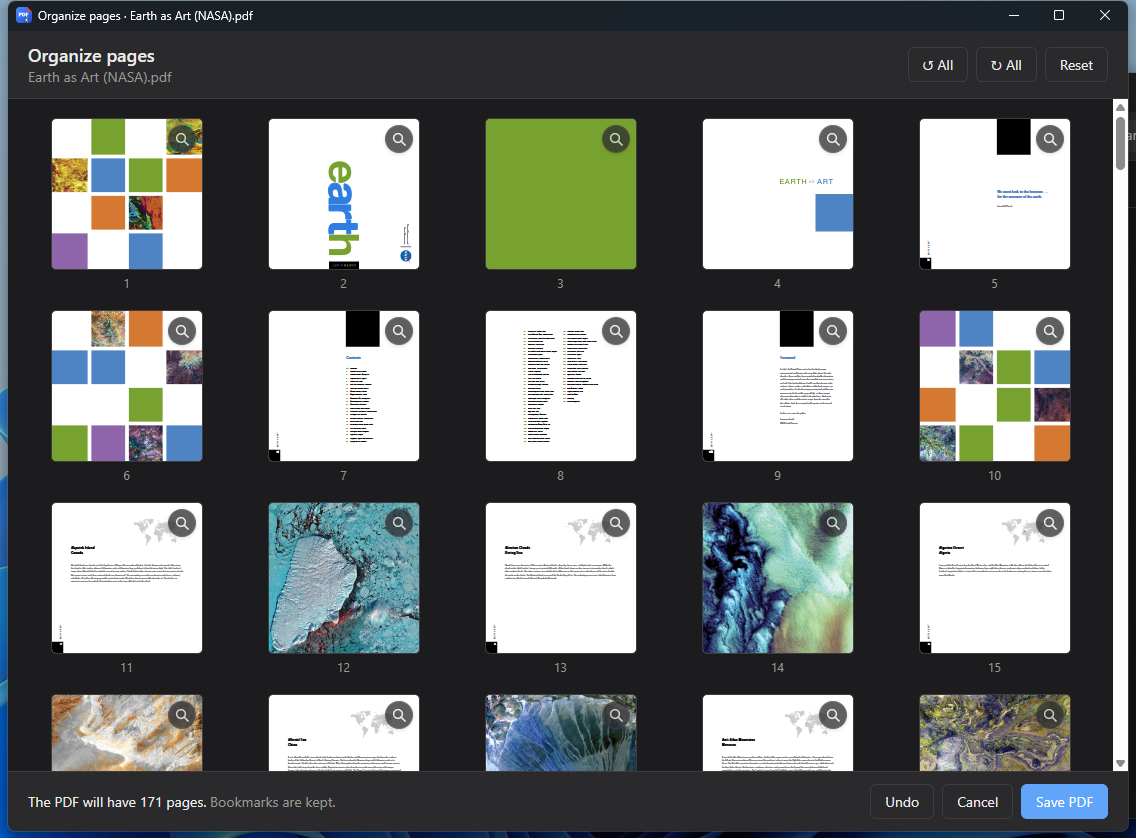
All pages as thumbnails, ready to sort.
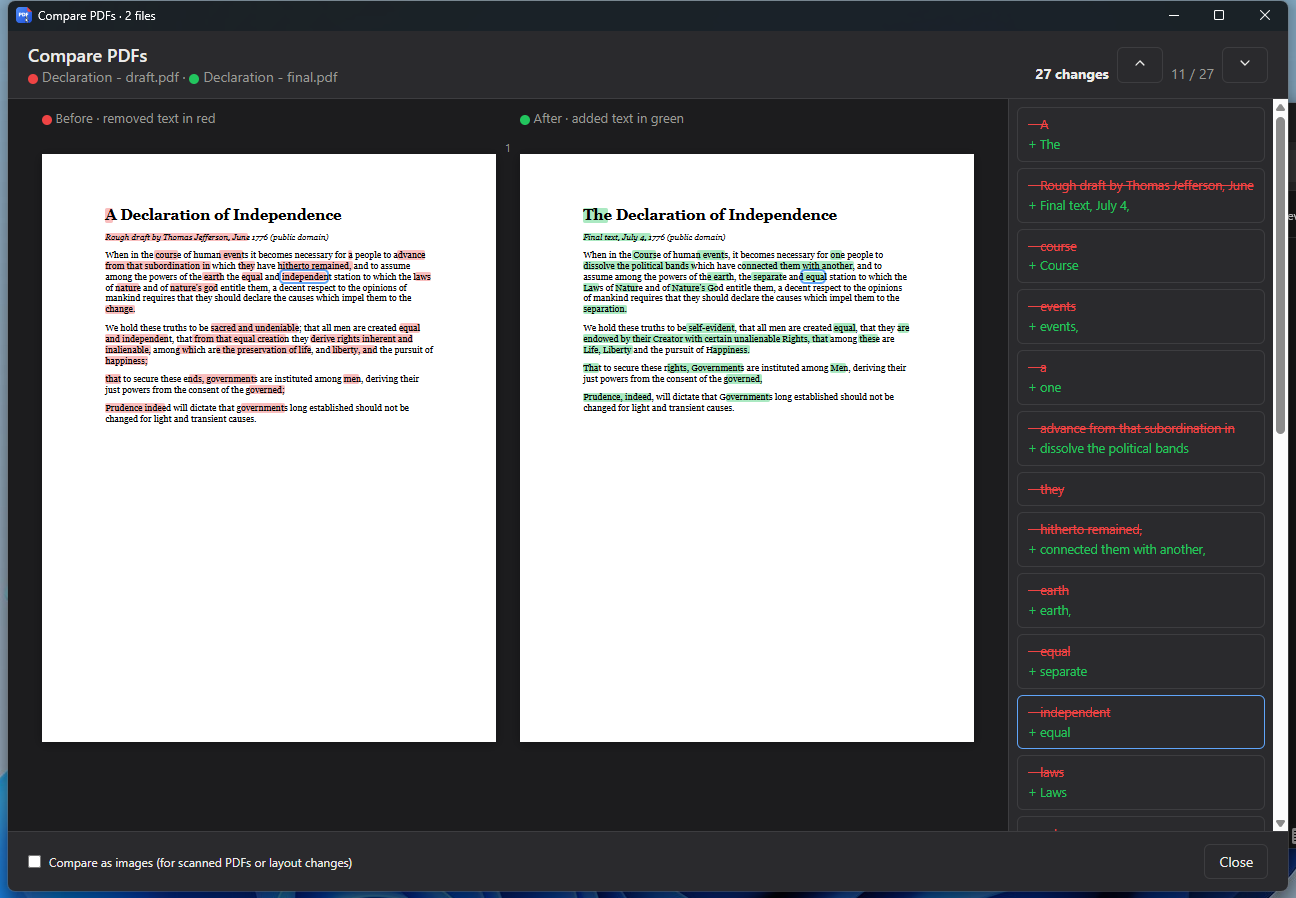
The draft and the final, side by side.
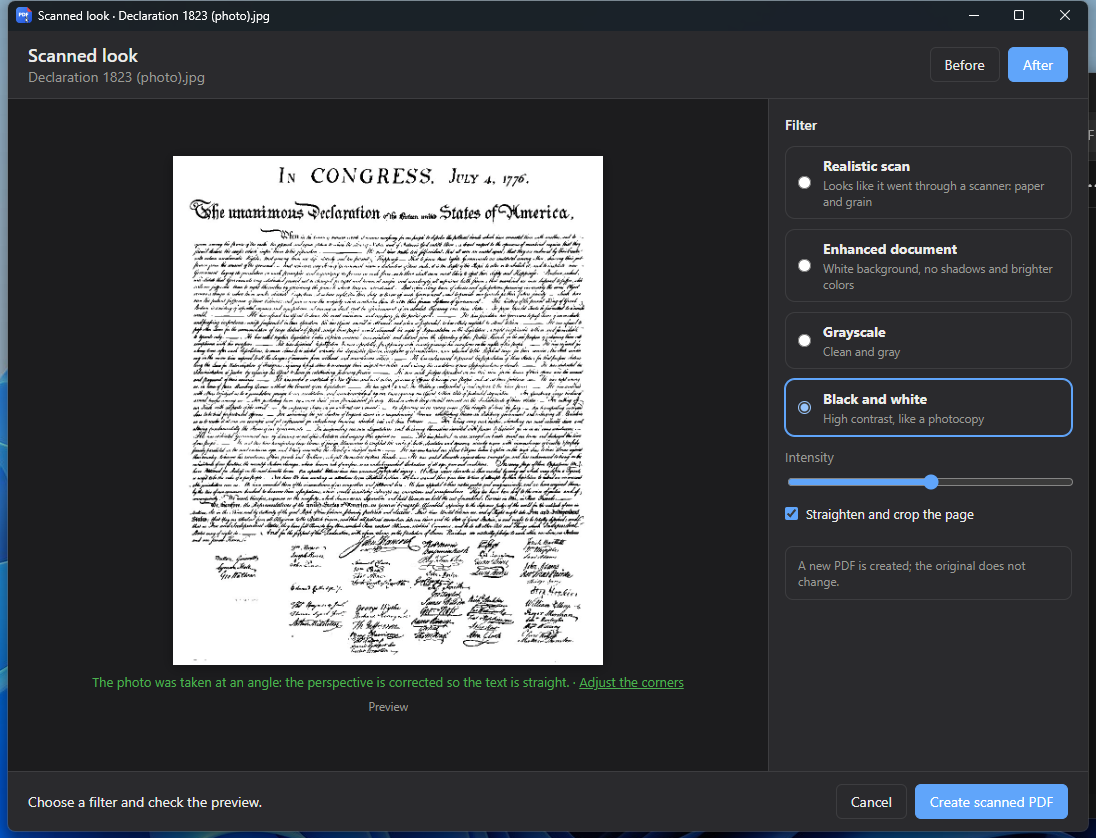
For that phone photo of a document.
Real screenshots of the app.
Recordings of the app running on Windows, with sample files.
Select the files, pick “Merge PDFs” and a moment later the full document is in the same folder.
A PDF full of photos ends up much lighter. It tells you how big it was and how big it is now.
See all pages as thumbnails. Rotate the one that came in sideways, delete the extra one and drag the rest into order.
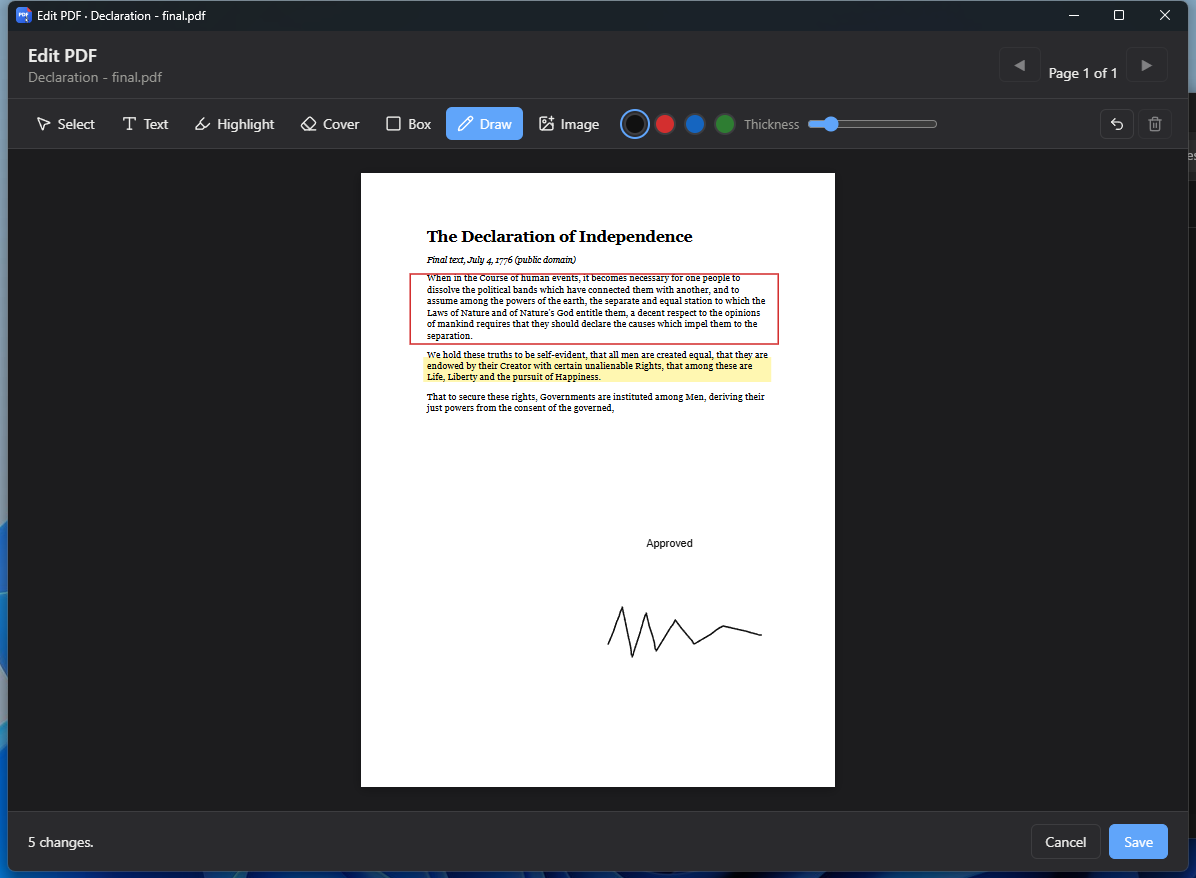
Type on top, highlight, cover a detail that shouldn't be seen, draw a box and sign with your mouse.
Put the draft and the final side by side. Removed text shows in red, added text in green, with the list of changes alongside.
Straightens and cleans up a photo of a document. Pick a style, compare before and after, and save the PDF.
And the other way: images (iPhone HEIC too) and Office documents become PDFs.
If every week you merge and compress the same reports, save it as a recipe and next time it's a single click.
Invoices, contracts, medical records, IDs: whatever goes through ClicPDF stays on your PC.
Everything is processed on your computer. No waiting for uploads, no wondering who keeps a copy.
The result is saved as a new file next to it. Made a mistake? Hit “Undo”.
It only goes online to check for updates, which install themselves (and, with the monthly Pro plan, to check the subscription).
The app sends anonymous data about which tools are used, never your files. Turn it off in Settings.
No ads, no watermarks, no file limits. A Pro version with new features will come later, but what's free today stays free.
Free
US$29 lifetime · or US$4.99/month
Free, under 6 MB, and it installs in a minute.
Need the other one? Version for ARM (Snapdragon)
Double-click the downloaded file and follow the steps. It takes less than a minute.
You may see “Windows protected your PC”, because the app doesn't have a paid Microsoft certificate yet. Click More info, then Run anyway.
That's it: you'll see ClicPDF in the menu. On Windows 11 it's in the modern menu, no “Show more options” needed.
Yes. All current tools are free and will stay that way, with no ads or watermarks. The future Pro version will only add new features.
No. Everything is processed on your computer. The app only goes online to check for updates and to send anonymous usage stats (never your documents), which you can turn off in Settings. With the monthly Pro plan it also checks your subscription. More in the privacy policy.
Never. The result is saved as a new file next to the original. And if something didn't come out the way you wanted, you can undo it.
That warning appears for apps that don't have a paid Microsoft certificate yet. Click “More info”, then “Run anyway”. Always download it from this page.
Only to convert regular PDFs to Word or Excel, or Office documents to PDF. Everything else works without Office.
It's on the way. For now ClicPDF runs on Windows 10 and 11, on regular PCs and on ARM PCs.
Like any program: Settings → Apps → ClicPDF → Uninstall. The right-click menu goes away with it.